
How to Make a Song for Someone
Follow a complete song gift example: write the story, check the lyrics, hear the music and prepare an MP3 and gift page for someone you love.
虚构故事 · 原创AI歌曲
Till I Could Go
For Arthur’s birthday, his daughter turns Sunday pancakes, a blue bicycle and their phone calls into a thank-you. Follow the story through the lyrics, recording and finished gift.
本篇目录
What you will make
To make a song for someone, start with their name, a few shared memories and one thing you want them to hear. Review the lyrics, generate the music, listen to the preview, then decide whether to unlock a recording and prepare its gift page. You do not need to sing, record your voice or write finished lyrics.
This walkthrough uses Arthur’s fictional demonstration, with an original AI song and AI-generated illustrations. It is a worked example, not a customer testimonial. The full demo above is free to hear; a new song you create has a 60-second preview before its paid unlock. Your own result will vary.
1. Choose the person and occasion
Open Create a song. In For them, enter the name you want to hear in the lyrics, choose your relationship and select the occasion. For this example:
- Name in the song: Arthur
- Your relationship: Father
- The occasion: Birthday
Select Tell their story to continue. You can fill in these first steps before signing in; the review step asks you to sign in before continuing to the lyrics. Use your own recipient’s details when making your gift.
2. Write the memories in ordinary words
In Your story, describe what happened before trying to make it sound like a song. Here is the actual story behind the recording:
Arthur is my dad. On Sunday mornings he made pancakes in our small kitchen, always leaving the first slightly burnt one for himself. When he taught me to ride my blue bicycle, he ran beside me holding the seat until I felt brave enough. After I moved away, our Sunday phone calls kept us close. This birthday I want to thank him for helping me become independent while always making home feel near.
The story has three connected scenes: a small act of care in the kitchen, a lesson in independence and a habit that keeps them close now. That gives the song a thread, rather than a list of compliments.
The extra details and message make the intention clearer:
One little detail
His burgundy mug. The slightly burnt first pancake. My blue bicycle. His hand steady on the bicycle seat. Our Sunday phone calls.
A message for the chorus
Dad, I can make my own way because you were there beside me. I love you. Happy birthday, Arthur.
You do not need a dramatic life event. A meal, a familiar object and something the person quietly did for you can be enough. Leave out private details you would not want in the finished gift.
3. Choose the sound and review the lyrics
In The sound, choose a language, style and voice, then review the details. Arthur’s example uses English, a female voice and a moving pop arrangement. These are creative preferences, not a promise of a specific singer or an identical recording.
After signing in, create the lyrics and read them before generating music. A new account starts with 50 free credits. Creating and editing lyrics is free; each music generation uses 10 credits. Credit packs are separate from a full song unlock.
Here is the chorus from Till I Could Go, the actual recording in this example:
You held the bike till I could go
Then let me find a road my own
A steady hand, a place to land
That's how you taught me where I stand
And every mile I learn to know
You held the bike till I could go
The bicycle is doing two jobs: it is a recognizable memory, and it expresses the daughter’s message about learning to find her own way. The verses carry the pancakes and Sunday calls, so the chorus does not need to repeat every detail.
Before making the music, check:
- Names: Is the spelling right, and is the name placed where you want it?
- Perspective: Is this from you to the recipient, rather than from the wrong person?
- Facts: Remove invented events, ages, dates or promises that do not belong to your story.
- Wording: Edit any line you would feel uncomfortable saying to them.
You can edit the lyrics before music generation, and each draft has one AI rewrite available. After music has been generated, changing the lyrics or the sound choices requires a new generation. Reviewing now helps you avoid using credits on words you already want to change.
4. Generate music and check the preview
When the lyrics feel right, generate the music and listen to the 60-second preview. Each successful generation provides one version. If an extra version is returned, you can preview both without extra generation credits; an extra version is not guaranteed.
Use the demo player above to hear how Arthur’s written story became a recording. For your own preview, listen for the pronunciation of the name, the clarity of the words and whether the voice and mood suit the person. Generation times vary, so leave time to review before an occasion.
If something sounds wrong, you can decide not to unlock that version. Fixing the lyrics or changing the style means generating music again; unlocking a recording does not rewrite it.
5. Turn the recording into their gift
When you have a version you want to give, a US$29.90 one-time purchase unlocks one selected full song version. It includes full playback, that version’s MP3 download and a gift page with your photos, note, lyrics, share link and QR code. It does not unlock another version or add generation credits.
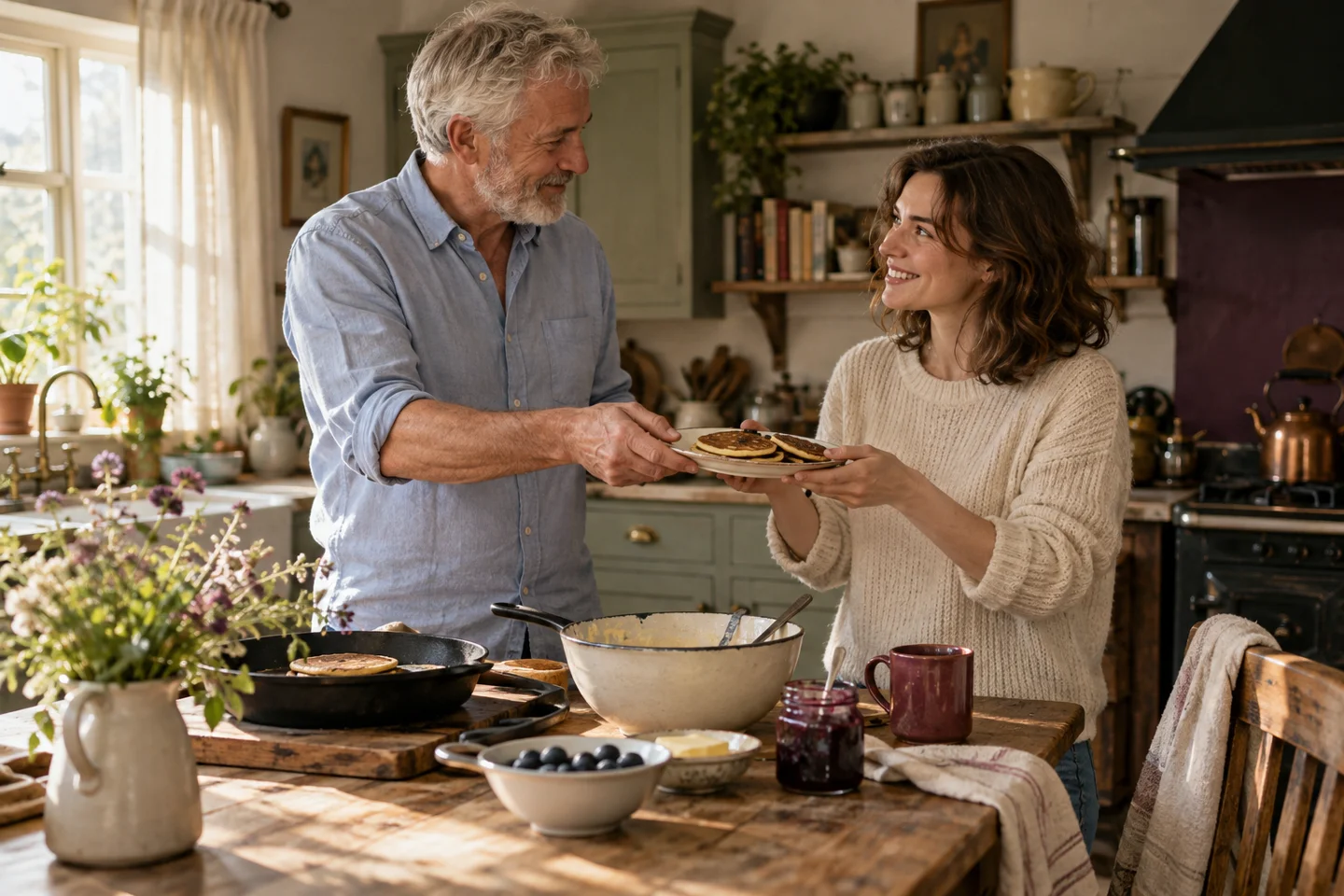
For Arthur’s gift, the three illustrations show the same memories as the lyrics: pancakes in the kitchen, the blue bicycle and a Sunday call. In your own gift, choose photos that belong to your recipient. Use the message you wrote above as a starting point for the note, or explain why you chose these memories.
Open Arthur’s complete gift and synced lyrics to see the finished presentation. This public demonstration does not require a purchase. Your recipient can also open an active gift link without an account. Anyone with that link can view the gift, so choose how widely you share it.
Before sending your gift:
- Open its preview and check the selected recording, photos and note.
- Download the unlocked MP3 if you want your own copy.
- Send the gift link, or print its QR code inside a card.
- Give the person a moment when they can listen comfortably.
Start with your own story
If you are looking at an empty form, use this sentence as a starting point. Replace each part with something true to your relationship:
[Name] is my [relationship]. I remember [one scene] and the way they [one small action]. These days, we [a shared habit]. For [occasion], I want them to know [one honest message].
Use the birthday song guide, song for Mom or anniversary song guide for another starting point. When you have your first memory, start your own song.
Questions before you begin
Can I make the whole song for free?
Lyrics can be created and edited for free. Music generation uses credits and includes a 60-second preview. Full playback, the MP3 and the gift page require the selected version’s paid unlock. See pricing and credit packs before purchasing.
Will the same story produce this exact song?
No. This is one completed example. AI lyrics, voices and music can vary, even with the same input. Use your own memories and check the actual lyrics and preview before deciding to unlock.
Do I have to upload photos or record myself?
You do not need to record yourself to generate a song. Photos personalize the gift page after you unlock a version; they do not replace the written memories used to make the lyrics.